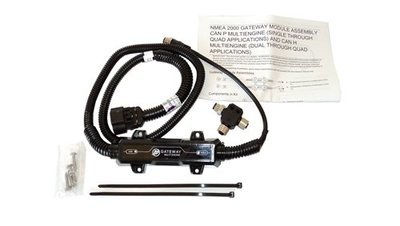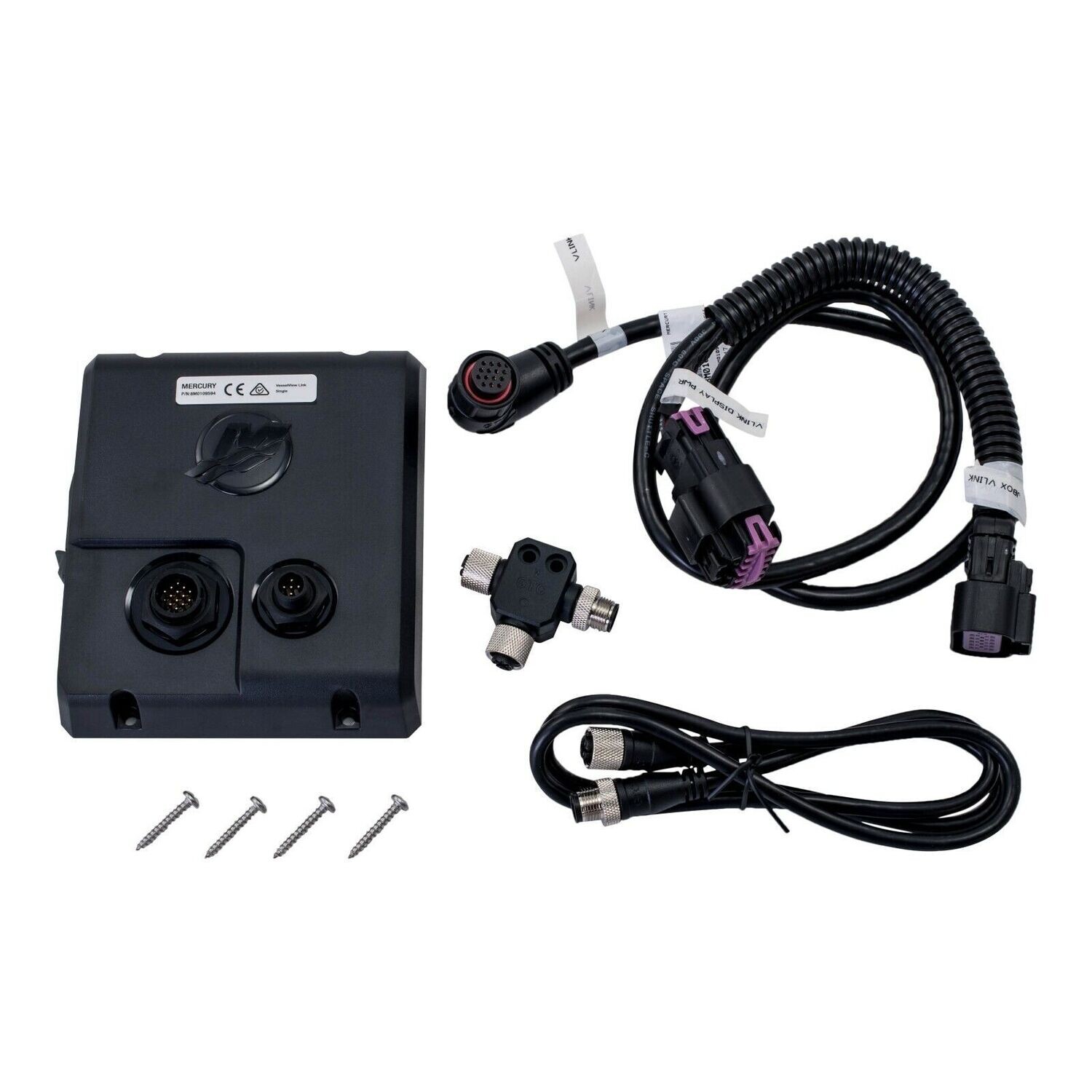
The Mercury® VesselView® Link interface module integrates SmartCraft® engine data with NSS evo2, evo3, NSO evo2 and GO series displays -- providing quick access to RPM, speed, fuel tanks, battery voltage, trim tab data and Mercury Smart Modes, like Eco, Smart Tow®, Troll Control and Cruise Control. VesselView® Link puts all the data you want, where you want it ─ at your fingertips.
The Mercury® VesselView® Link is also available in a multi engine kit
Please note if you do not have an NMEA 2000 network on your boat you will need to purchase a NMEA2000 starter pack for all installation options to connect the gateway to your MFD/GPS/Sounder.
You should also consider the engine gateway product which is less expensive with similar functionality.
Install Option 1 - Under Dash - Engines with existing junction boxes (most engines have this set up unless they have analogue gauges)
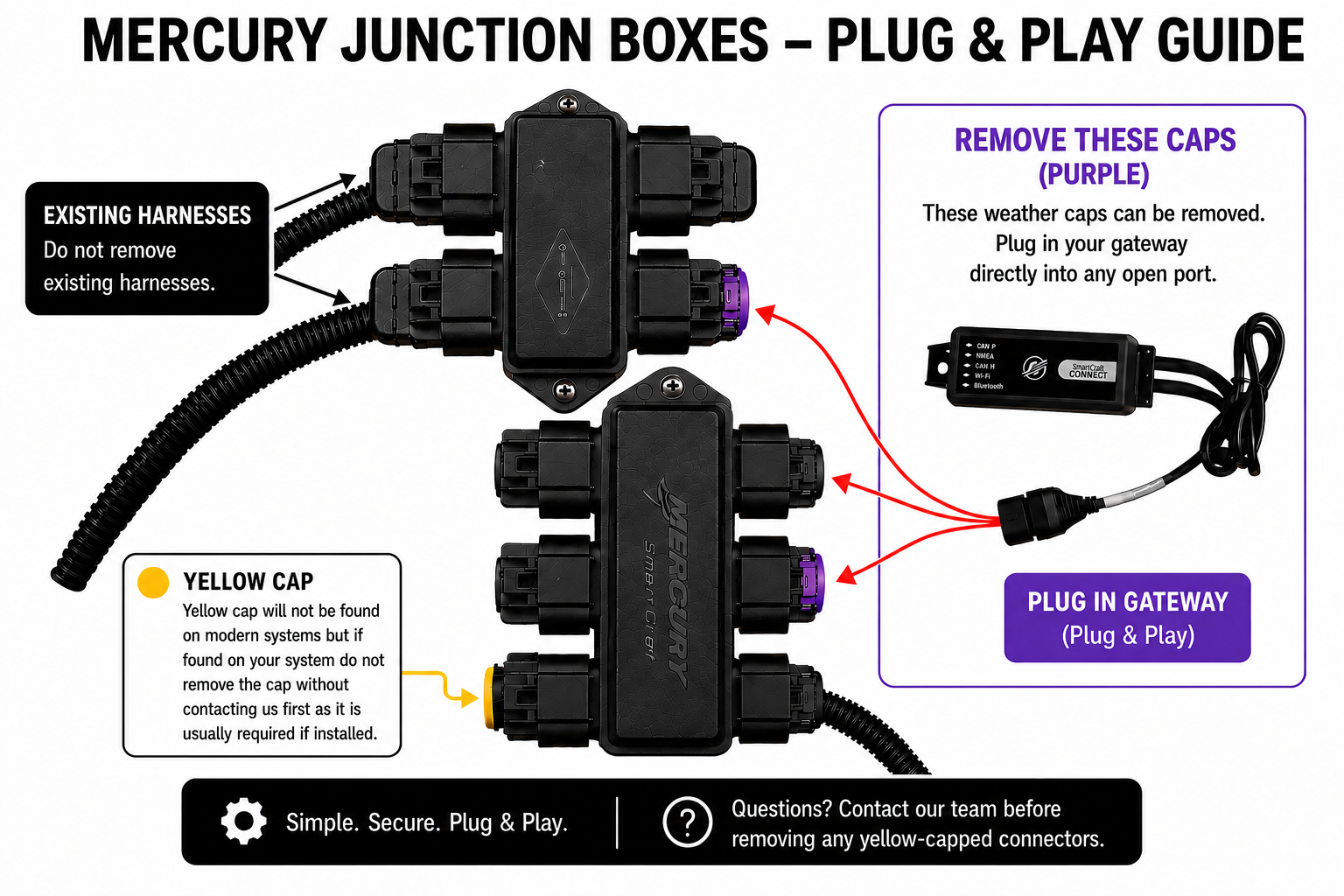
Refer to all safety items and warnings and follow the install manual before attempting.
Simply install to a spare port on your junction box (remove the black dust cap).
If you have multiple engines with mechanical shift with multiple junction boxes (or you are planning to connect to engines to a new single junction box) then you may find that only one engine will display on your VV mobile. You may need to link the two junction boxes together - please contact us for parts required in this instance. Please also note that when linking two junction boxes or multiple engines to a single junction box then you may need to have a dealer set engine location to port/starboard (it is not possible for a user to set engine locations).
Install Option 2 - Add a junction box under your dash
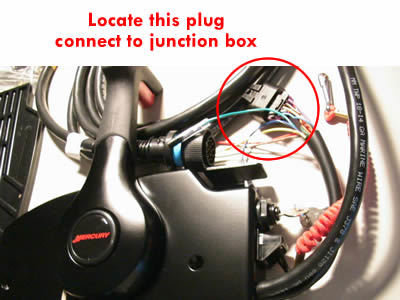
Refer to all safety items and warnings and follow in full to the install manual before attempting. Locate the two rectangular plugs connected to each other near your gauges/key switch or remote control (throttle and shift). Unplug the two plugs from each other and reconnect them to your new junction box using the optional female/female adaptor. Connect the engine gateway to the junction box also. You can add a dust caps to the remaining ports on the junction box to avoid water/dust penetration.
Install Option 3 - Add a new data harness direct to your engine
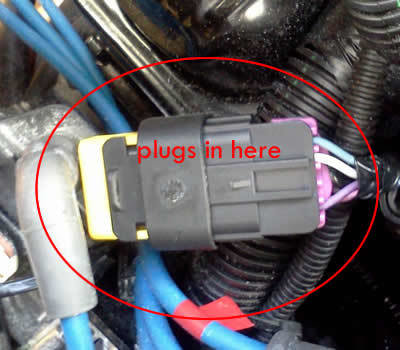
Locate above plug on your engine, install new 25 ft blue data harness from engine to dash and ensure the yellow tag end of the harness is connected at the engine end, connect gateway to data cable using male/male adapter or a new junction box..
Install Option 4 - Dual engines without existing junction box/s (eg analogue gauges)
Run a 25ft data harness from each engine to the dash, connect to the new junction box, along with your engine gateway and cap. Please also note that when linking two junction boxes or multiple engines to a single junction box then you may need to have a dealer set engine location to port/starboard (it is not possible for a user to set engine locations).
Install Option 5 - Single engines direct to engine
Remove the weather cap or resistor from your engine, replace with the Y cable. Plug in the gateway and resistor into Y cable. Note: This method may not be suitable for outboards that do not have a suitable mounting location under the cowl.